
Kik — Messaging & Chat App
MediaLab AI - KikCommunication
2.7423.88K Reviews
- Version
- 17.21.0.35551
- Installs
- 100.00M
- Age Rating
- Mature 17+
Screenshots
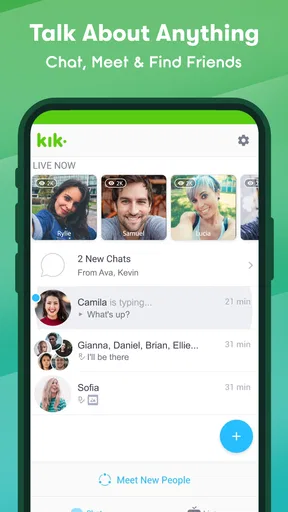

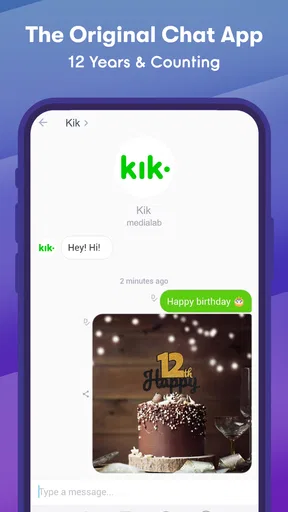
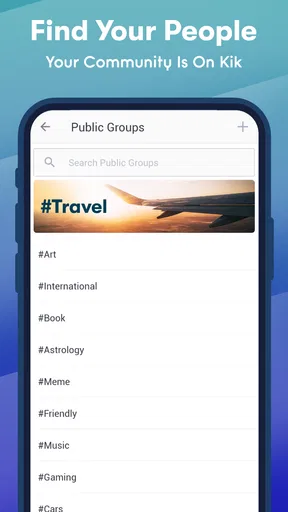


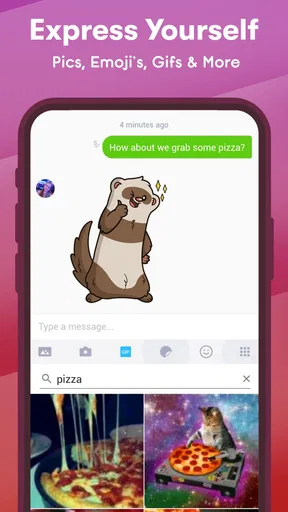

Our Review of Kik — Messaging & Chat App
 Analysis by Appyee
I first think of Kik as a practical option for people who want a separate place for casual messaging rather than tying every conversation to their main phone number. It is a communication app from MediaLab AI - Kik, aimed at chatting with friends and joining live social conversations. My overall impression is mixed: the basic idea is approachable, the audience is large, and the app can be useful for lightweight conversations, but it does not feel like the strongest all-purpose messenger for everyone.
The most important thing to understand before installing it is the audience. Kik is marked Mature 17+, and that matters because the social environment may not suit younger users or anyone looking for a tightly controlled family communication tool. I would consider it for adults who want informal conversations and are comfortable managing their own boundaries. I would not choose it as the default app for children, sensitive work discussions, or communication where privacy controls and identity certainty are the main priorities.
How a Kik conversation works from first message to finished exchange
I’ll trace a Kik chat from the first decision to reach out through the point where the conversation has served its purpose, focusing on the choices that make the exchange more useful and comfortable. I also pay attention to when a casual thread should stay casual—and when I would move an important detail to a more dependable channel.
Starting with the right expectation
The app is free to install, which makes trying it fairly easy. Its current version is 17.21.0.35551 and it supports Android 7.0 or later. I would still approach the first launch with a clear purpose instead of treating it as an automatic replacement for every messenger already on my phone. Kik works best when I already know why I want to use it: keeping casual chats separate, finding people through an existing social circle, or taking part in conversations that do not belong in my usual SMS or family group.
That distinction helps because traditional texting has one major advantage: the person on the other end is normally connected to a phone number I already recognize. With Kik, the conversation is built around the app’s own identity and social space. That can feel liberating when I do not want to hand out my number, but it also means I need to pay closer attention to who I am adding and what I share.
The app has clearly attracted a substantial audience. It has passed one hundred million installs, while its average rating sits at 2.7 from around 2.4 million ratings and roughly 424 thousand written reviews. Those figures tell me two things at once: Kik is far from obscure, but popularity does not automatically mean a consistently smooth experience for every user.
Moving from installation to an actual chat
Once I am inside, the useful test is not whether the interface looks familiar. Nearly every messaging product has a conversation list, a contact search, and a way to send text. The real question is whether Kik makes the path from “I want to reach this person” to “we are having a useful conversation” feel simple.
For a friend who already uses Kik, the workflow is straightforward in principle. I find the person through the app’s identity system, start a conversation, and use the chat as a separate channel from ordinary texting. That separation is one of the app’s clearest practical reasons to exist. For example, I might use regular messages for family and appointments, while keeping a hobby-related conversation in Kik so it does not get buried among daily notifications.
That arrangement is especially helpful when a group has already agreed on one place to talk. The app does not need to replace every other messenger to be useful; it only needs to give that particular group a shared room. In my experience, social apps are easiest to maintain when each one has a defined job. Kik makes more sense as a dedicated casual channel than as a universal communications dashboard.
A realistic everyday workflow
Imagine I am arranging a weekend activity with several acquaintances. The starting point is simple: I do not want to add all of them to my personal texting list, and not everyone wants to exchange phone numbers. I use Kik as the meeting point, send the initial message, and let the group decide the details there. One person confirms the time, another asks about transport, and I return later to check the thread rather than searching through separate one-to-one messages.
The benefit is not just speed. It is the separation between the planning conversation and my more personal messages. If the group remains active, the same chat can become a place for follow-up questions. If it becomes noisy or stops being useful, I can treat it as a temporary social channel instead of allowing it to take over my main inbox.
The friction appears when someone is not already on Kik. The workflow now has an extra handoff: I need to explain which app to install, how to identify me, and why we should use it instead of the messaging service everyone already has. For a single short conversation, that extra step can outweigh the benefit. I would use Kik when the group expects to keep using it, not when I am trying to send one urgent message to a person who prefers standard texting.
Handoffs between people and conversations
Handoffs are where the app’s strengths and weaknesses become most visible. A conversation can move from a direct chat to a broader social setting, but every move increases the need for judgment. Before forwarding personal details or bringing someone new into a discussion, I would check whether the original participants are comfortable with that change. The app may make communication convenient, but convenience does not remove the social responsibility of deciding who belongs in a conversation.
This is also why I would avoid treating a Kik username as proof of identity. If a contact claims to be someone I know, I would verify that through another channel before sharing private information, arranging an in-person meeting, or accepting an unexpected request. This is not a criticism unique to one app; it is a particularly important habit in any service where people meet through app-based identities rather than contacts I have already confirmed.
For group planning, I find it useful to put the key outcome near the end of the conversation in plain language: the agreed time, place, and next action. Casual chat can move quickly, and important details are easy to lose when jokes, side questions, and new introductions appear in the same thread. A short final recap makes Kik more useful as a coordination tool without requiring me to reread every message.
Where live and casual social use fits
Kik is presented as more than a basic text utility, with chatting and live social interaction forming part of its identity. That makes it more appealing to people who want discovery and informal activity rather than a purely functional inbox. I can see the attraction for users who enjoy meeting conversations through shared interests or simply want a livelier atmosphere than a list of known contacts provides.
At the same time, the more open and social the experience becomes, the more carefully I would manage my participation. I would keep personal details out of early conversations, avoid assuming that a friendly tone means trust, and leave interactions that become uncomfortable. The Mature 17+ rating is a useful reminder that this is not the environment I would recommend for unsupervised younger users.
For someone who only wants dependable communication with close friends, live social elements may feel unnecessary. A conventional messenger can be calmer and easier to control when the contact list is already known. Kik is a better fit when the social layer is part of the reason for installing it, not an interruption to a simple message exchange.
What happens when a conversation succeeds
A successful Kik workflow ends with a clear outcome: the friend replies, the group agrees on a plan, or the casual conversation becomes a regular connection. In that situation, the app has done its job without needing to become the center of my digital life. I can return when that particular contact or group is active, then leave the app alone when there is nothing to discuss.
That limited role is actually one of my favorite ways to use it. I do not need every communication app to handle banking alerts, family updates, professional messages, and social discovery at the same time. Keeping Kik in the social category reduces clutter and makes it easier to decide which messages deserve immediate attention.
There is also a useful distinction between a successful first contact and a successful long-term relationship. Kik can help people begin talking, but the quality of the relationship depends on the people involved. If a conversation becomes important, I may eventually move practical or sensitive matters to a channel that everyone trusts more. Kik can be the starting point without being the final destination.
Where the flow breaks down
The first breaking point is adoption. If my friends are already committed to another service, asking them to install Kik creates resistance. Messaging apps benefit from network effects: the value depends heavily on whether the people I need are already there. In that situation, the technically available feature is less important than the social cost of changing habits.
The second issue is consistency. The average rating of 2.7 suggests that many users have encountered problems or dissatisfaction, even though the app remains widely installed. I would not interpret that rating as proof that every conversation will fail, but I would take it seriously when choosing Kik for something urgent or essential. For critical communication, I prefer a channel that my contacts already use reliably and that has a stronger reputation for predictable delivery.
The third weakness is the need for personal caution. A separate app identity can be useful, but it can also make it harder to know exactly who is behind a profile. I would never use a casual Kik conversation as the sole basis for trusting a stranger with money, private documents, passwords, or a physical meeting. That is a firm boundary, not an optional advanced setting.
There is also a financial detail worth noticing. The app is free, but individual in-app purchases range from $0.99 to $99.99. I would not assume that installing it means every part of the experience is entirely without optional spending. Before confirming any purchase, I would check what it provides and whether it adds real value to the way I plan to communicate.
How it compares with familiar alternatives
Compared with ordinary SMS, Kik offers a more app-centered social identity and a better fit for people who do not want every casual contact attached to their phone messaging routine. SMS remains easier for reaching someone who has not installed anything, especially for urgent or one-off communication. If universal reach is my priority, I would choose texting first.
Compared with established internet messengers used by family, colleagues, and existing groups, Kik’s advantage is its distinct social atmosphere and separate role. The disadvantage is that I may need to persuade people to join another platform. A mainstream alternative is usually better when I need broad adoption, work-related reliability, or a contact list built around people I already know offline.
Compared with a social network’s direct messages, Kik can feel more focused on chatting itself rather than being attached to a larger feed. That may appeal to me when I want conversations without the rest of a social platform competing for attention. On the other hand, users who already live inside a social network may find its built-in messages more convenient because there is no additional account or app habit to establish.
Who should install it, and who should skip it
I would recommend trying Kik to an adult who wants a free, separate channel for casual chats, already knows people who use it, or enjoys a more social style of communication. It can also suit someone who wants to keep hobby groups and informal contacts away from their main SMS inbox. The strongest use case is not “replace everything”; it is “give this kind of conversation its own place.”
I would skip it if I need a guaranteed way to reach people who are not already users, if I am choosing a platform for confidential work, or if I want a tightly moderated environment for a teenager. I would also avoid making it my only messenger when a conversation involves travel emergencies, financial arrangements, or other details where a missed message would create a serious problem.
Parents should pay particular attention to the Mature 17+ classification. I would not hand the app to a younger user simply because it is free or popular. The social context matters more than the installation count, and an adult should decide whether the app’s communication style is appropriate for the person using it.
My practical setup and usage advice
My first tip is to give the app a narrow purpose. I would decide whether Kik is for one group, a certain kind of casual contact, or social discovery. That makes it easier to recognize when a conversation should remain there and when it should move to a more suitable channel.
My second tip is to verify new contacts outside the app before trusting them. A quick confirmation through a known route can prevent a mistaken identity from turning into a serious problem. I would also avoid putting identifying details in a public-facing conversation and would be especially careful with requests that create pressure or urgency.
My third tip is to use conversation summaries for group plans. After the discussion, I would send one compact message containing the final decision and ask participants to confirm if needed. This reduces the chance that an important detail disappears among casual replies, and it makes the chat useful even for people who join late.
My fourth tip is to review optional purchases deliberately. Since the app supports in-app spending from less than a dollar to nearly one hundred dollars per item, I would treat any purchase as a separate decision rather than assuming it is necessary for ordinary messaging. Free access is enough reason to test the basic experience, but it is not a reason to spend automatically.
Final assessment after following the full workflow
After looking at Kik from the first installation through contact discovery, group coordination, social handoffs, and the final outcome, I see it as a specialized communication app rather than a universal winner. Its useful side is clear: it gives casual conversations their own space, can connect people who do not want to rely on ordinary texting, and has a large enough audience that finding active users is realistic.
Its limitations are just as important. Adoption can be the biggest obstacle, the modest average rating makes me cautious about depending on it for essential messages, and the Mature 17+ classification means it is not an automatic recommendation for younger users. The presence of optional purchases also means I would pay attention during use instead of assuming every part of the experience is cost-free.
My recommendation is therefore conditional but positive for the right person. If your friends or communities already use Kik and you want a separate place for relaxed conversation, it is worth trying because the basic entry cost is free. If you need universal reach, professional dependability, or strict control over who can contact you, a more conventional alternative is likely the better choice. I would install it for a defined social purpose, keep my boundaries clear, and judge it by whether it produces a useful conversation rather than by its popularity alone.
Verdict
Strengths of Kik — Messaging & Chat App
- Simple interface makes one-to-one and group chats easy to manage.
- Users can connect through usernames without sharing a phone number.
- Supports text messages, photos, videos, stickers, GIFs, and emojis.
- Public groups offer ways to meet people with shared interests.
- Available on both Android and iOS devices.
Limitations of Kik — Messaging & Chat App
- Open public groups may expose users to spam or inappropriate content.
- Anonymous usernames can make it harder to verify who you are chatting with.
- The app may encourage unwanted messages from unknown users.
- Some features and content can vary depending on region or account status.
- Active chats and media may consume noticeable storage and mobile data.
Similar Picks in This Category
View All
Google Messages
Google LLC4.6

Gmail
Google LLC4.1

Google Meet
Google LLC4.4

Google Chrome
Google LLC4.1

WhatsApp Messenger
WhatsApp LLC4.6

Carrier Services
Google LLC4.2
Frequently Asked Questions
What is Kik, and how does the messaging app work?
Kik is a messaging and chat app that lets users communicate through text messages, photos, videos, GIFs, stickers, and other shared content. After creating an account, you can connect with friends using a Kik username rather than necessarily sharing your phone number. The app also includes group conversations and discovery features, although the available options may vary depending on your location and current app version.
Does Kik require a phone number to create an account?
Kik has traditionally allowed users to register with a username, email address, password, and basic profile information instead of requiring a phone number. This can appeal to people who prefer not to share their mobile number with contacts. However, registration requirements, verification prompts, and account-recovery options can change over time, so it is worth checking the latest setup process and privacy terms before creating an account.
Is Kik safe for children and teenagers?
Kik includes privacy and reporting tools, but it is not automatically safe for unsupervised children or teenagers. Users may encounter strangers, unsolicited messages, inappropriate content, scams, or attempts to move conversations to other platforms. Parents should discuss online safety, avoid sharing personal information, review privacy settings, and use blocking and reporting features. Younger users should only use the app according to applicable age requirements and with appropriate supervision.
Can I use Kik to chat with friends without sharing personal information?
Kik can help limit the amount of personal information shared because conversations can be based on usernames rather than phone numbers. Nevertheless, anonymity is not complete. Your profile, username, messages, images, and behavior may still reveal identifying details, especially if you share locations, school information, social media accounts, or recognizable photos. Use a unique username, avoid sensitive details, and remember that other users can save or capture shared content.
Is Kik free to download and use, and are there any costs?
Kik is generally available as a free download, and its core messaging features do not normally require a subscription. You may still use mobile data or incur charges from your internet provider when sending messages, images, videos, or making other connections outside Wi-Fi. The app’s features, advertising, optional services, or in-app offerings can change, so review the store listing and any purchase information before spending money.
